
Car Rental Agency and Dealer Management System
Sell your own fleet and supplier inventory from one panel, grow a dealer network with branch and role control, and collect requests under your brand.

Own Fleet and Supplier in One Search
your vehicles and the connected supplier's cars land in one list, separated by source.
Branch and Role Data Isolation
vehicles, bookings and payments of a branch you may not access are closed at query level.
Collect Requests Under Your Brand
a rental company runs its own-domain request site straight from the panel.
Product Features
- Vehicle card, gallery and equipment management
- Price lists, season periods and hourly-to-monthly tiers
- SIPP-coded class catalogue and rental prerequisites
- Insurance cover, insurance packages and extras
- One-way drop-off fee matrix
- Branch hierarchy and inter-branch vehicle transfer
- Prebooking, confirmation, check-out and check-in
- Rental contract, change trail and signature status
- Damage, inspection, maintenance and tyre tracking
- Toll and traffic fine records with liability owner
- Customer cards, duplicate check and blacklist
- Payments, invoices, credit notes, pre-authorisation
- Fleet contract, vehicle assignment, invoice calendar
- Sub-agency tree and per-agency module activation
API Integrations
Integrate with leading service providers in the industry.











Why Us?

- Sell your own fleet and supplier inventory on one screen.
- The selling agent's commission is recorded at booking time.
- Mileage, fuel and damage close in a single hand-over form.
- Return differences post to the account line by line.
- Inspection and insurance renewal dates are never missed.
- The blacklist check stops a risky customer at booking.
- Sell long term to corporate clients via fleet contracts.
- Deposit, mileage allowance and driver age reach the quote.
- Split your activity by role: rental company or broker.
- Closing a sub-agency cuts search and booking access.
- An agency sees its own rentals, a GSA its whole network.
- Cumulative exposure on long rentals stays inside a limit.
- Asynchronous querying
- 7 billion+ queries per day capacity
- Easy and fast to use
- Unlimited GSA → Sub-Agent network capability
- Multi-language and multi-currency support
- Integrated Ticket Support system
- Announcement system
- RESTful API provisioning capability
Car rental: from agency search to fleet operations
The records, names and amounts in the videos are sample data.

Agency car search
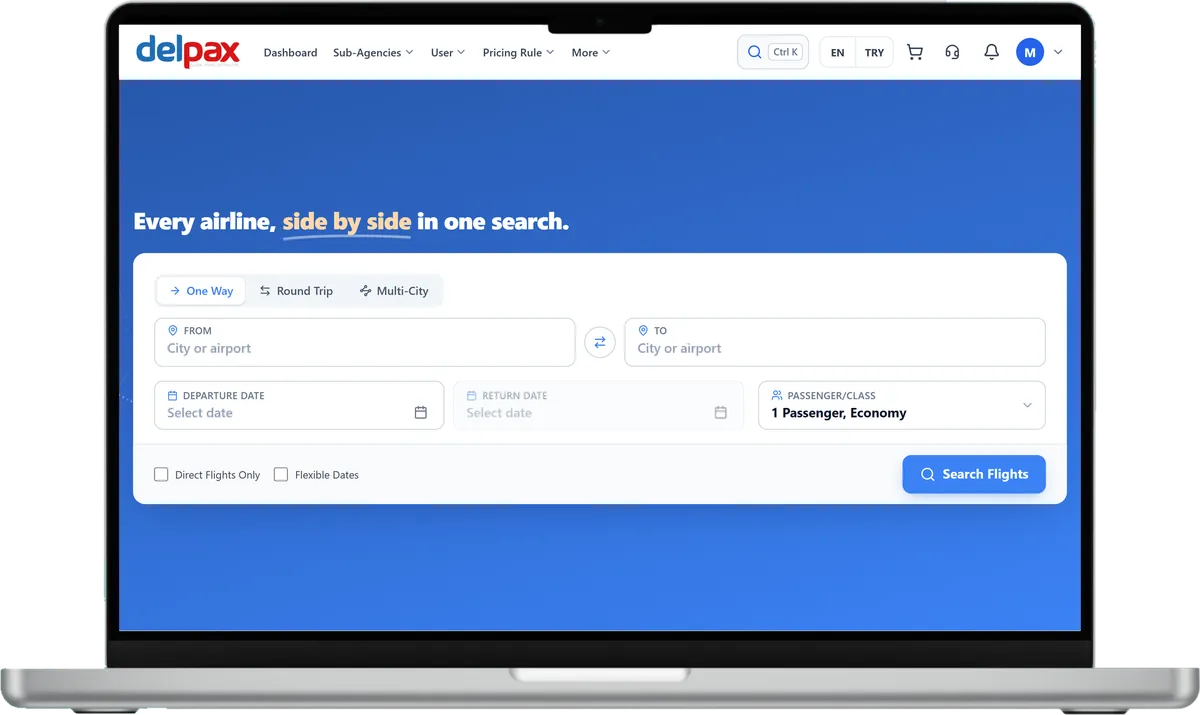
Search by pick-up and return place, date and time; the return can be at the same or another place. Each card shows gearbox, fuel, seats, bags, total km allowance, deposit, minimum driver age, licence years and free cancellation. Results narrow by class, gearbox, fuel, seats, brand and km limit, and list as cards or a table, sorted by price.

Quote and car page
The agency ticks the cars it wants to send to its client and prepares a quote. On the car page a cover package or single covers are chosen and extras are added by quantity; the booking summary shows the car, cover and extras amounts line by line. The rental terms list total km, the extra-km price, deposit, driver age and licence years.

Fleet, rates and extras
The rental company manages its vehicles by plate, class, fleet number, capacity and status. Rate plans belong to a price list and are set per vehicle class; each plan is priced by season. Extras carry a pay-now and a pay-at-office price, per day or per booking.

Fleet operations
The operations panel shows today's pick-ups and returns, active rentals and the vehicles due for service or inspection. The service log keeps the service date, km in and out, cost and days off the road. In the HGS toll log each pass is marked as paid by the customer or the company, with a choice to add it to the invoice.
How the system works
The main administrator, GSAs, and agencies work in the same system, each with their own account. Prices build along this chain: every level adds its own rule.
Who does what
Main administrator
Opens agencies and sets the Standard or GSA type, DMC access, balance, and enabled modules and menus. A new agency starts passive and is activated when ready.
GSA
Opens its own sub-agencies, manages their balances, and writes pricing rules for them.
Agency
Works under the main administrator or a GSA. Signs in to the panel with its own users, searches, sells, and adds its own pricing rule. With DMC access, it also manages its own inventory. Rules and amounts of the levels above stay hidden from it.
Finance and tracking
Balance, account activity, invoices, and reports in the same panel.
Balance
The main administrator and GSAs assign balances to agencies; if the wallet screen is on, an agency can also top up from its own screen.
Account activity
Agencies follow their account activity from the panel; the account statement opens if the accounting system supports it.
Invoices
Sales invoices and commission invoices can be viewed from the panel.
Reports
Sales, profitability, and commission reports in the panel.
Frequently Asked Questions
You switch the car rental module on from the per-agency permission grid; while the module is off, that agency has no search or booking surface at all. An agency with GSA rights opens its own sub-agencies.
Both work together: your vehicles and the connected supplier's cars are queried in parallel and merged into one list that stays separated by source. A slow or failing source never breaks the list, it simply returns empty.
The external supplier live today is Yolcu360, with search, prebooking, confirmation and status endpoints in place. Because the supplier API exposes no cancellation endpoint, cancellation is handled as a manual record from the operator panel.
No. With the branch system enabled, vehicles, bookings, contracts and payments are filtered by their own branch, and an explicit request for an unauthorised branch returns empty.
Businesses in the rental company role publish a booking-request site on their own domain with their own logo and colours. Payments for bookings arriving from the site are recorded in the operations panel.
Request a Demo
Request a free demo to explore our product and see how it can benefit your business.
Demo & Get Quote