
Corporate Hotel Booking System
Corporate hotel booking with negotiated rates, travel policy and centralized billing.

Travel Policy Management
Rules by city, star, nightly rate and brand
Approval Workflow
Department-level approver chains and SLA
Negotiated Rate Management
Upload corporate RFPs and chain hotel contracts
Product Features
- Upload and prioritize RFP rates
- Cost center and project code tagging
- Multi-country and multi-currency booking
- Duty of care for guest safety
- Central billing and e-invoicing
- SAP SuccessFactors, Workday, AD integration
- SAP Concur and Expensify export
- Out-of-policy booking alerts
- Detailed spend and savings reports
- Manager approval panel
- Employee mobile app
- Role-based permissions
API Integrations
Integrate with leading service providers in the industry.









Why Us?

- Smart pricing engine highlighting negotiated rates
- Annual RFP savings reporting
- Operational efficiency via central billing
- Guest safety via duty of care
- SSO and AD user management
- Real-time KPI dashboard
- Direct chain hotel integrations
Corporate hotels: from policy-checked search to approval

Policy-checked hotel search
Search domestic, international or all destinations by city, area or hotel name. The nationality comes from the traveller's passport details and rates are priced for it. Every hotel card shows the policy verdict for that traveller: in policy, or out of policy with the reason.

Policy and confirmation filters
List only out-of-policy or only in-policy hotels in one click; instant and on-request hotels are marked and filtered separately. On-request bookings take no payment: the hotel confirms or declines. There are also filters for location, nightly price, stars, board and free cancellation, and the results show on a map with their prices.

Verdict per room and board
On the hotel page every room and board shows its own price, free-cancellation date and policy verdict, and the cheapest comparable option is flagged "Best value". Hotel prices cannot be held: on trips sent for approval the price is re-quoted at approval.

Nightly limit by city
Set the hotel nightly cap city by city, with a separate limit for every city not on the list. The limit can be in TRY, USD, EUR or GBP. Choose what each rule does: block, send for approval on a breach, always send for approval, or only inform.

A ready alternative for the approver
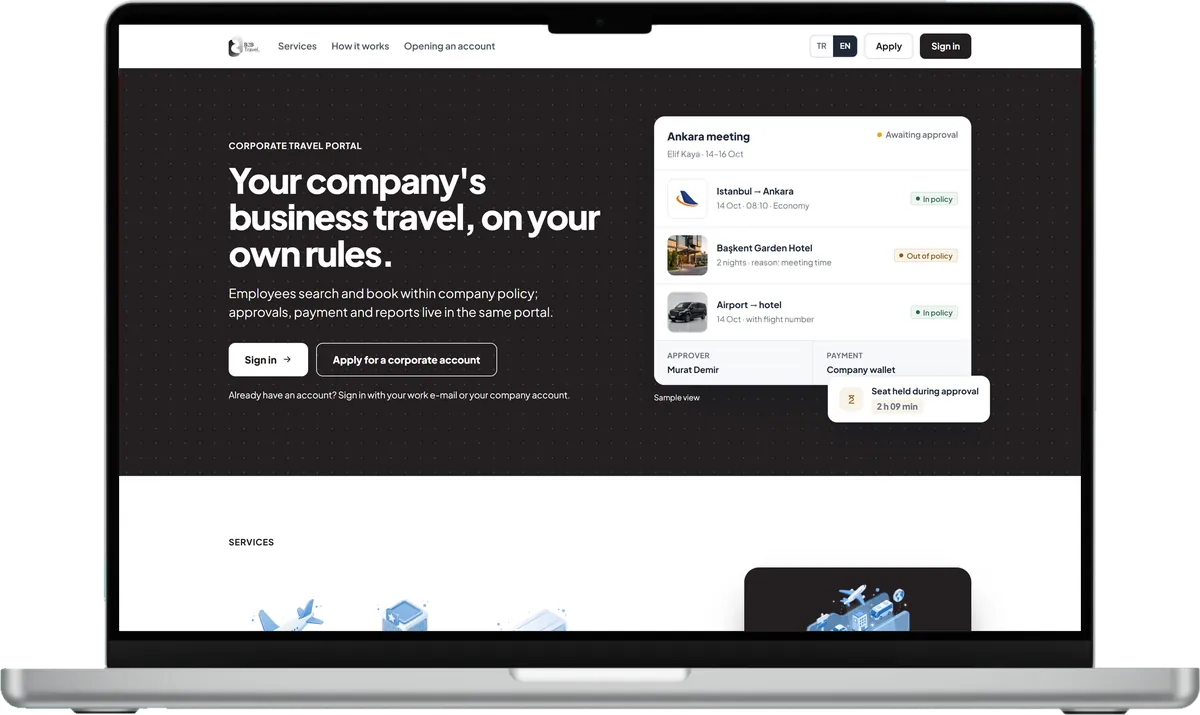
An out-of-policy choice asks the traveller for a reason and goes into the approval flow. The approver sees the breach, the reason and the budget impact on one screen, and the best in-policy room taken at request time is ready as an alternative, with the price difference. The service fee is shown on its own line.
The company's rules apply here too
What the company manager sets up in the portal works for this product too.
Travel policy
A policy applies to the company, a branch, a department, a title grade or a person; each rule blocks, sends for approval or only informs.
Approval flow
Requests pass sequential or parallel levels by amount band, with a time limit, reminder and escalation per level; nobody approves their own request.
Budgets
Period budgets per branch or department show actual, committed and remaining amounts; on overrun: warn, ask a reason, send for approval or stop.
Trip file and reports
Items, service fee and documents sit in the trip file; spend, policy compliance and approval times are reported and exported to Excel, CSV or PDF.
Frequently Asked Questions
Request a Demo
Request a free demo to see the corporate portal up close and how it fits your company structure.
Demo & Get Quote